
Veer Game Customer Care
Veer Game customer care lives inside the app. Live chat handles login problems, number changes, locked accounts and game questions.
CUSTOMER SERVICE
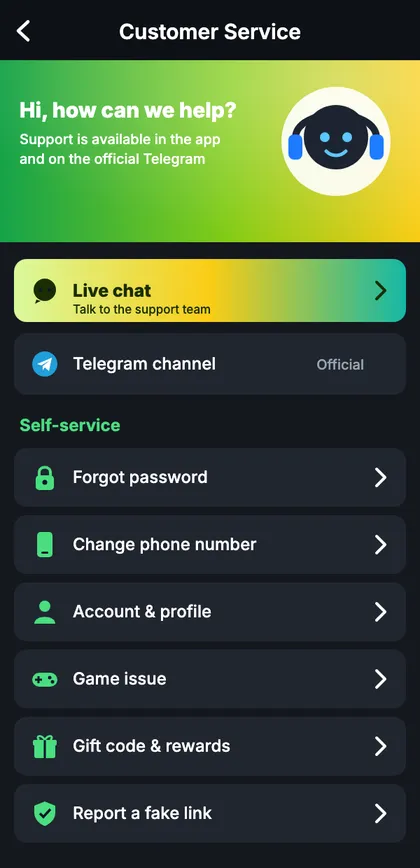
Veer Game customer care
Live chat, Telegram channel and self-service options.
On this page
How to contact support
- Open Account → Customer service.
- Choose live chat or a self-service option.
- Describe the problem in two or three sentences.
- Include your UID and a screenshot.
Self-service
Fake support
Real support never asks for your password or OTP and never messages you first on WhatsApp or Instagram.
A message that gets answered fast
“UID 48219037, number ending 4210. Since 10:30 today I see ‘Too many attempts’ on Android. I waited 30 minutes and tried forgot password, but no SMS arrives. Screenshot attached.” Short, specific, complete.
What support can and can’t do
| Request | Possible? |
|---|---|
| Explain errors | Yes |
| Help with number changes | Yes, after verification |
| Lift security holds | Yes, after checks |
| Tell you your password | No |
| Change results | No |
Before you message
- Try the matching self-service page.
- Note the exact error text.
- Find your UID.
- Take a screenshot (crop your full number).
- Write two or three clear sentences.
When support is busy
After updates or during big events, replies slow down. Check the lobby notice line and the official channel for known issues first.
Start with Veer Game the safe way
Use the official app or website – one Veer Game account works on every device.
Frequently asked questions
Will support ask for my OTP?
Never.